Day 5: New homelab parts
I purchased a few quality of life items for my homelab which arrived today so I spent my time refactoring a handful of connections to my homelab server. I was also lent a few mechanical keyboards from my coworker Mark. He’s letting me feel out a few models before I purchase a new keyboard. This is the first time I’ve used a mechanical keyboard and I can definitely understand why people enjoy using them. Now I just need to find the right one for my setup.
Goals
- Add new equipment to my homelab
- Re-add my Raspberry Pi nodes to my Kubernetes cluster
Findings/Results
- Here is where I started the day in my homelab:

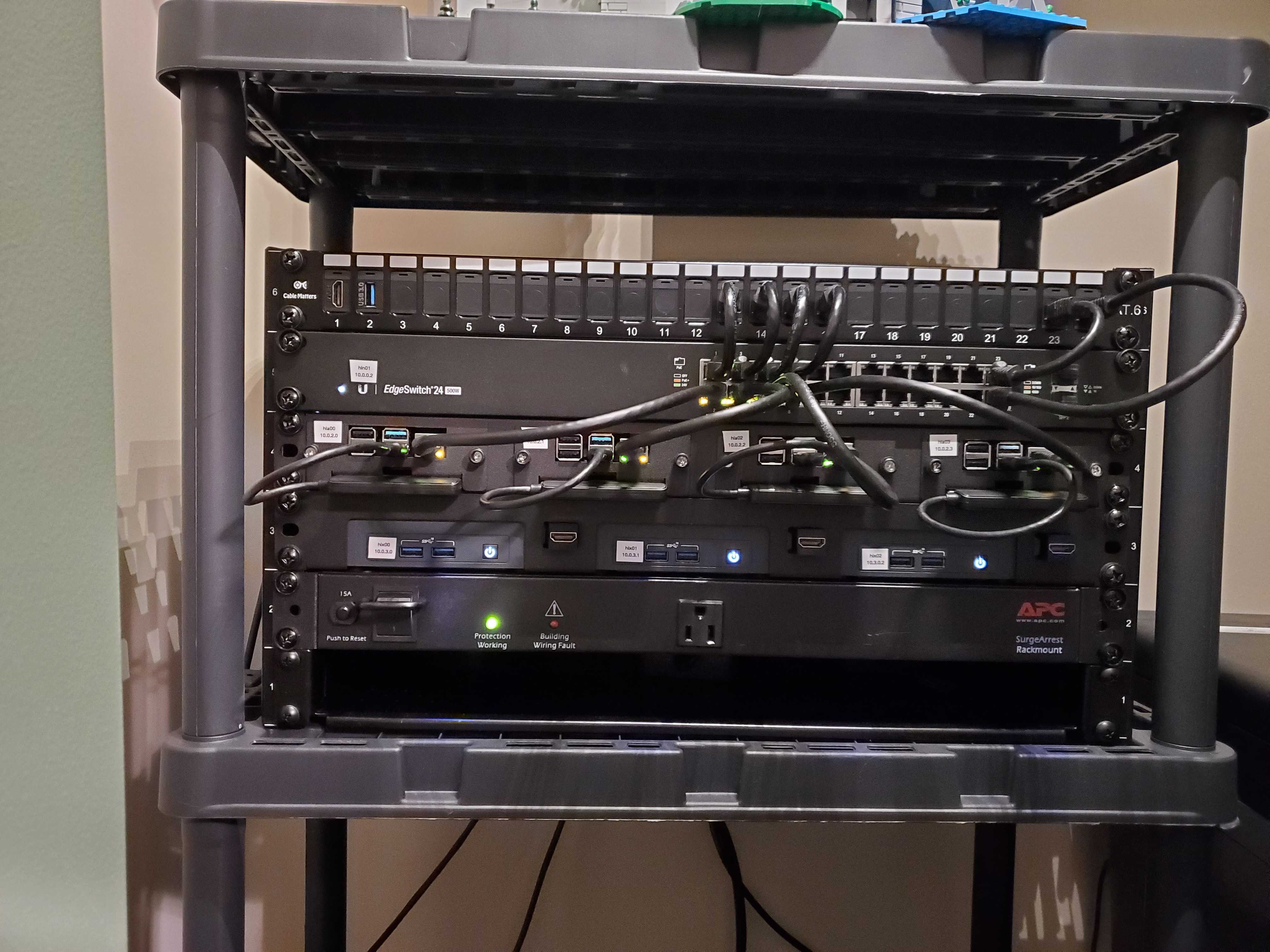
- Here is the cluster after adding a few quality of life items:
- Summary of upgrades:
- I swapped the SATA to USB 3.0 connectors from these from StarTech to these from WAVLINK. The StarTech adapters have worked well and I plan to repurpose them, but the length of the cable made the difficult to work around. I think the right angle connector on the new ones makes the cluster look considerably cleaner.
- I added new HDMI keystone jacks next to each NUC along with a short HDMI jumper cable to hook it up. Until now I have needed to shut down all three NUCS and remove them if I needed to perform maintenance, but with these I now can access enough of the IO ports to be able to work with them as needed.
- In the top left I added extra HDMI and USB 3.0 keystone jacks. I had spares from ordering them for other purposes, so I put them in my rack. I then used some spare cables I had lying around to connect those into my office workstation which is about 25 feet away. If I add a short USB and HDMI cable to connect these up it lets me work with the cluster from my normal workstation which has been very helpful. For example, I reformatted all of my Raspberry Pis this evening, and to do so I used one of the StarTech SATA adapters plugged into this USB port and then connected that to my office machine to format the Pis. I no longer need to pull those out either!
- In the top right I added a couple of new CAT-6 keystone jacks and routed some new cable which allowed me to remove an unmanaged switch from my office. Those devices now come straight into my main switch.
- Not pictured, but I am also trying out these magnetic USB C adapters to make it easier to detach my work laptop when I need it to be mobile.